Tools › Centroids
Turn shapes into centre points — free
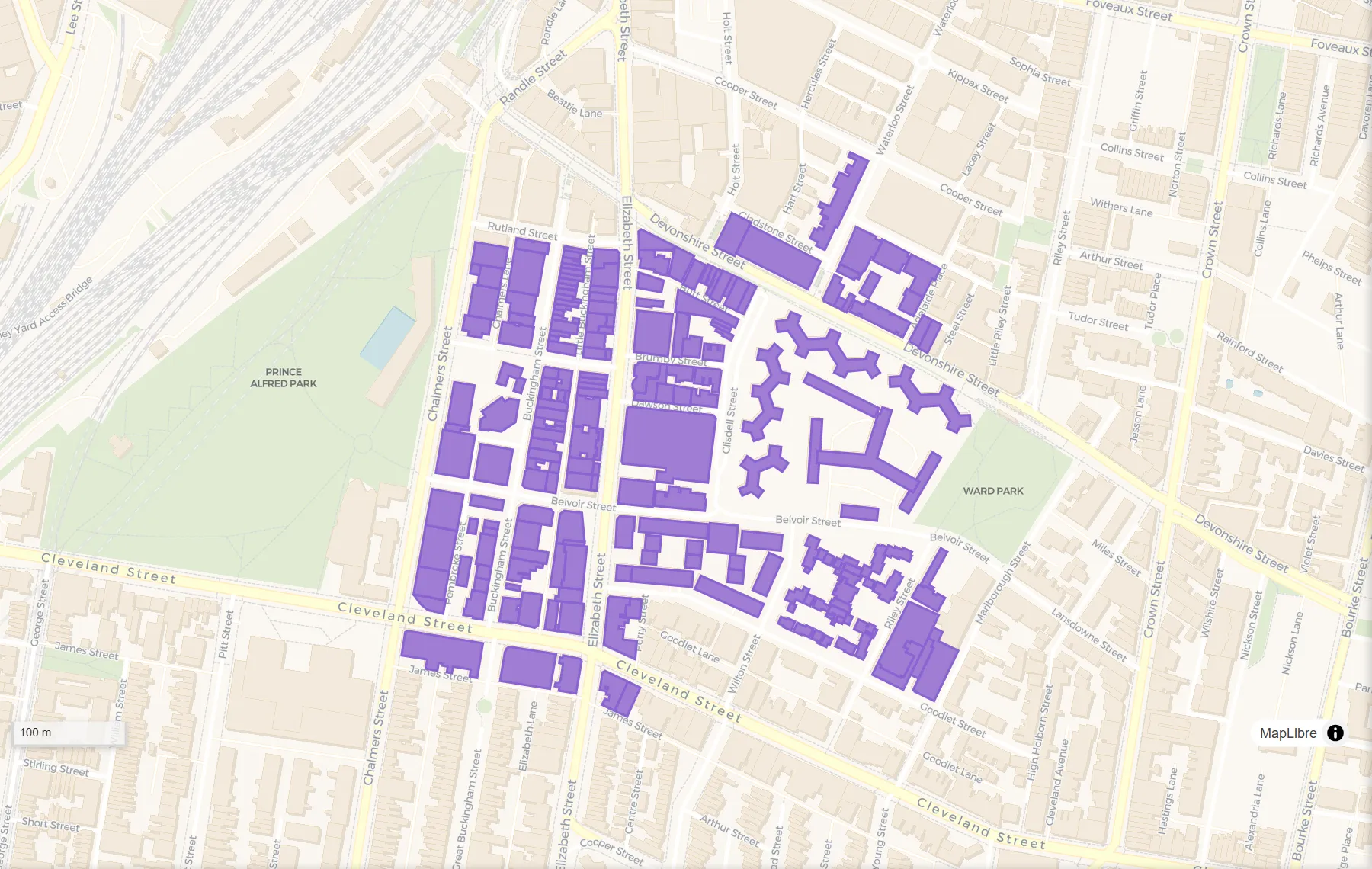
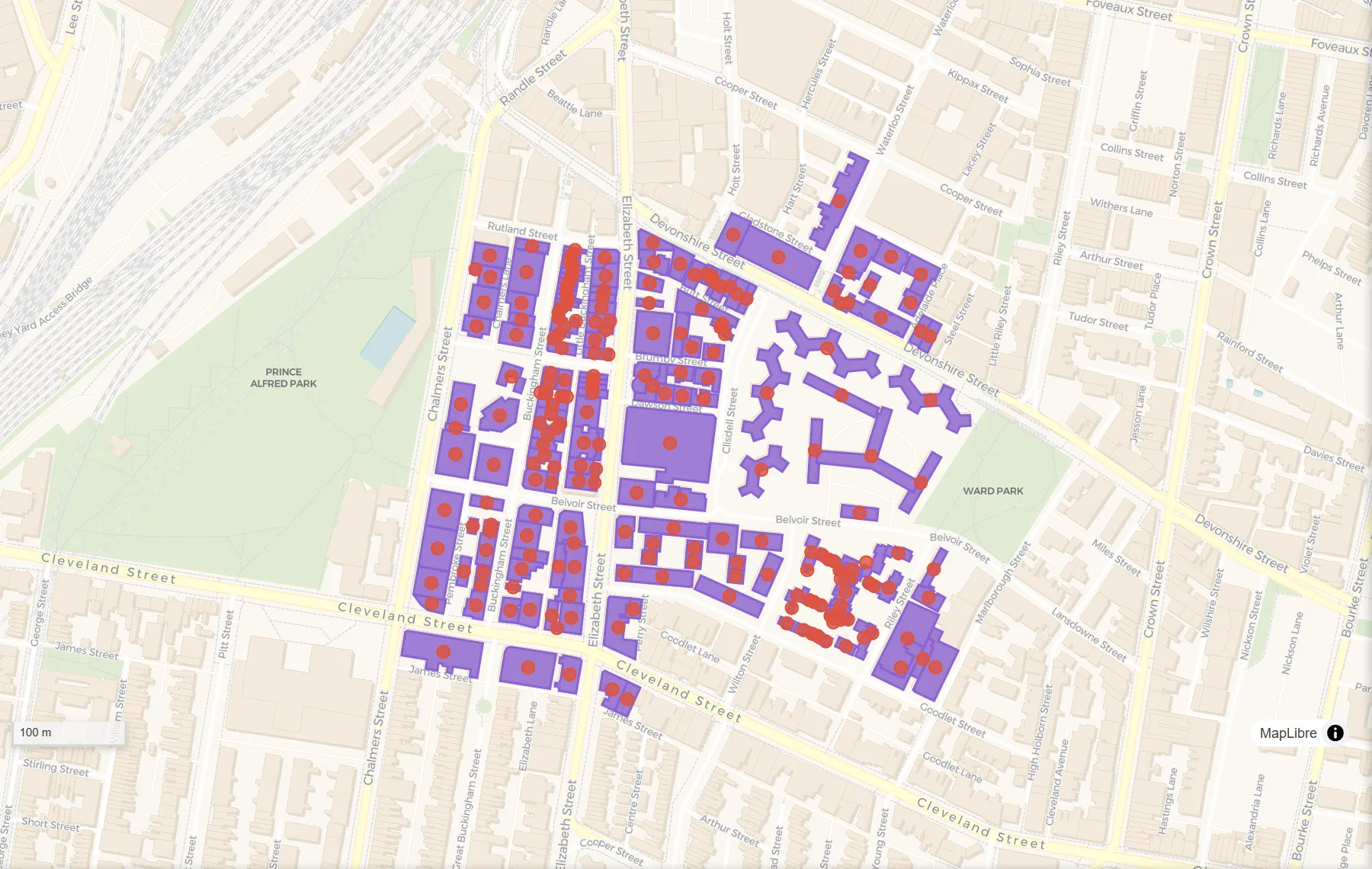
Need one point per property, suburb or field, for labels, pins or a spreadsheet of coordinates? Drop your file here and DropMaps puts a point at the middle of each shape, keeping all of its data.
Your map file
Drop a map file here, or
By opening your file you agree to the DropMaps Terms of Service and Privacy Policy.
✓ Opened in a new tab
Your files stay on your computer — they open in your browser, not on our servers.
Free · No signup · Nothing to install
What it does
How to do it
- Any map file works: a zipped shapefile, KML or KMZ, GeoJSON, GeoPackage, GPX, a CSV with coordinates or a zipped .gdb.
- Drop your map file into the box above — or click “choose a file” to pick it from your device.
- Click “Set up Centroids”. DropMaps opens in a new tab with your data on the map and the Centroids tool open, your layer already picked.
- Choose “Centroid” for the true centre, or “Point on surface” to make sure every point lands inside its shape. Then click Run.
- The result appears on the map as a new layer. Click “Save result…” to download it as a shapefile, KML, GeoJSON, GeoPackage or CSV.
Questions
Why did a point land outside its shape?
The true centre of a curved or ring-shaped area can fall outside it. Choose “Point on surface” to make sure every point lands inside.
Can I get the coordinates in a spreadsheet?
Yes. Save the result as CSV and each point comes with longitude and latitude columns.
How do I get the result?
The result appears on the map as a new layer. Click “Save result…” under the Run button and choose a shapefile, KML, GeoJSON, GeoPackage or CSV.
Is my data uploaded anywhere?
No. The tool runs inside your browser, on your own computer. Nothing is sent to us unless you choose to save the map to a DropMaps account.
Other free tools
Viewers
Converters
Map functions
See what else DropMaps can do
It’s a full map maker in your browser — colour and label your data, draw and edit shapes, measure, stack files on top of each other, and share a map with a link anyone can open.
Explore the features